
Linux devices do have an equivalent enterprise MDM functionally the same way Mac and Windows devices do. It is possible to install CrowdStrike Falcon on Linux devices for security functionality such as installing endpoint detection and prevention policies, getting alerted about malicious activity, and setting USB policies.
Since CrowdStrike is also connected to your Zip console, this path can also help with making the devices in Zip accurately reflect every device in use in your organization, including Linux devices.
Part 1: Getting the CrowdStrike installer
- Confirm with your Linux users what the distribution of their device is. This usually looks like "Ubuntu 22.05" or "<NAME> <Number>"
- To find what Linux distribution they’re running, users can run the following command in their terminal:
cat /etc/*-release
- Once that’s confirmed, log in to CrowdStrike via https://falcon.us-2.crowdstrike.com/login
- If you do not have a CrowdStrike account, you can contact info@zipsecinc.cc
- In the left-hand side bar go to Host set up and management
- Scroll down and click Sensor downloads
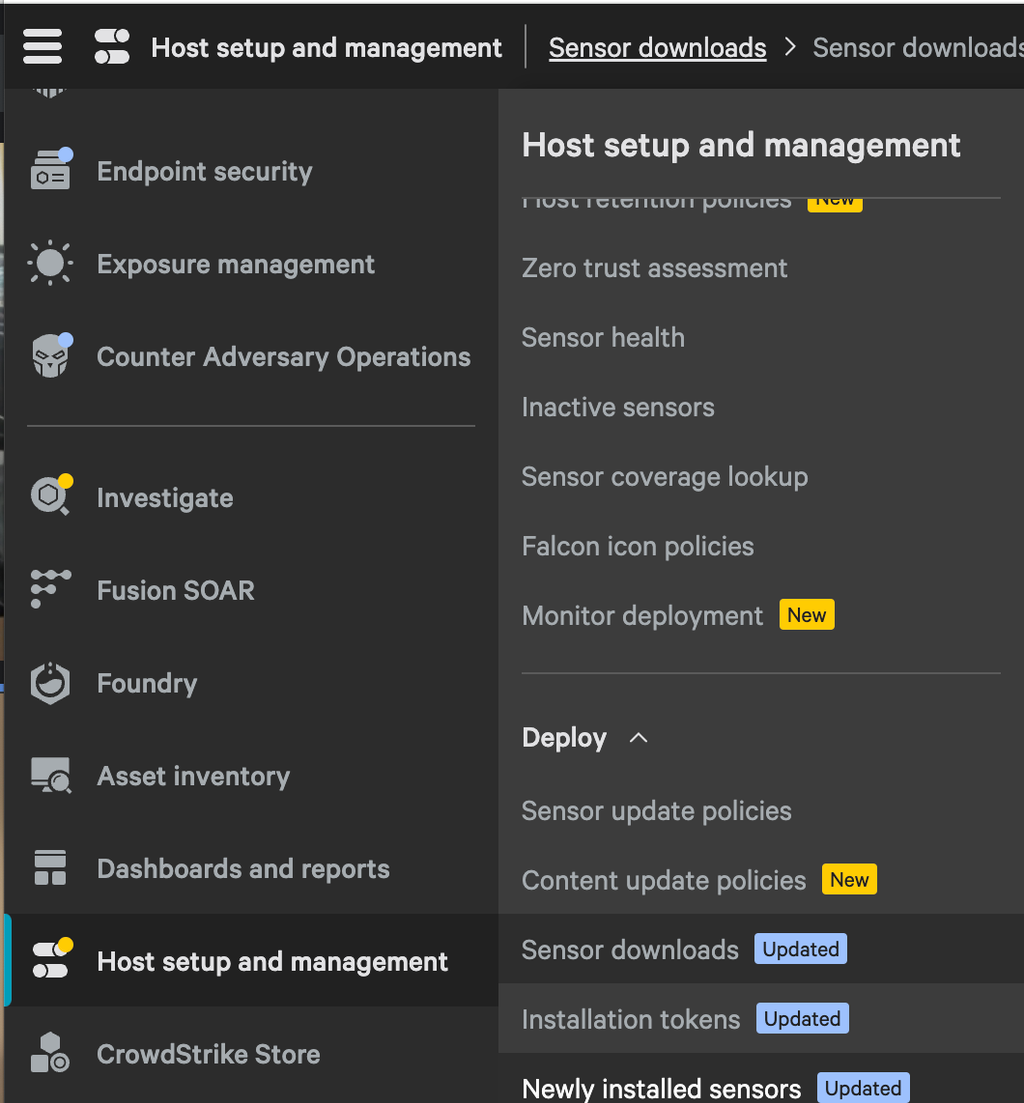
- In the top bar click the Linux tab (https://falcon.us-2.crowdstrike.com/host-management/sensor-downloads/linux)
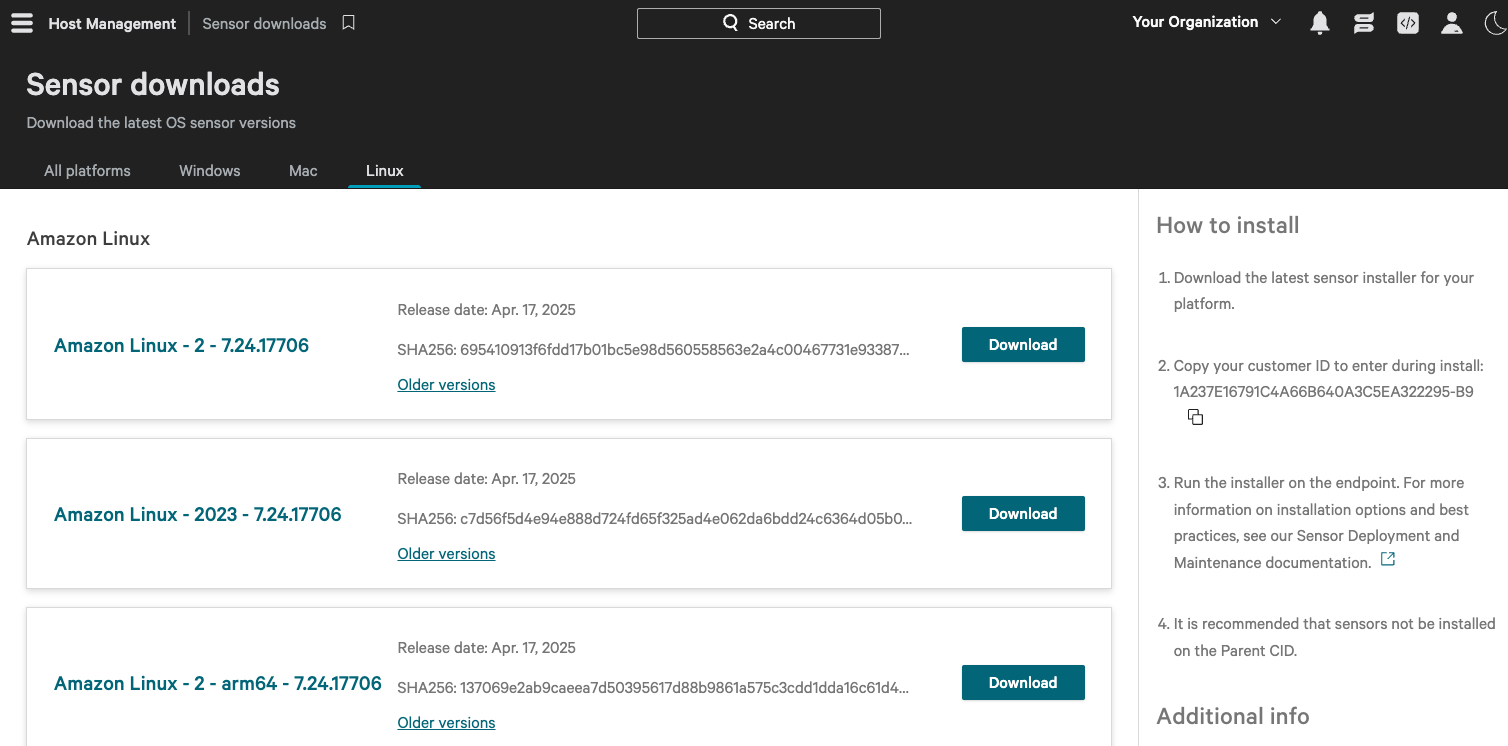
- Download the correct installer that matches the Linux user’s distribution
- Find and copy your Customer ID in the right-side panel “How to install”
Part 2: Installing the Falcon sensor
- Send the installer that you downloaded to the Linux user
- Ask your Linux user to follow these steps on their device:
- Run the installer with the corresponding command below, substituting
<installer_filename>with your installer’s file name. This requiressudoprivileges. - Ubuntu:
sudo dpkg -i <installer_filename> - RHEL, CentOS, Amazon Linux:
sudo yum install <installer_filename> - SLES:
sudo zypper install <installer_filename> - Set your customer ID (CID) copied from part 1 with the command below, substituting
<CID>with your CID sudo/opt/CrowdStrike/falconctl -s --cid=<CID>- Start the sensor manually
- Hosts with SysVinit:
sudo service falcon-sensor start - Hosts with Systemd:
sudo systemctl start falcon-sensor
If you follow the above steps, CrowdStrike Falcon should be installed successfully on the device! After refreshing your Zip console, you should see the new device. You can assign this to the correct user by follow the instructions here.